
Coding your BMW using NCS Expert allows for advanced customization of vehicle settings and features. This process requires specific software and knowledge of coding principles to ensure successful modifications without causing errors.
Necessary Tools for BMW Coding
Before diving into the intricacies of coding your BMW with NCS Expert, it’s essential to gather the right tools. Having the appropriate software and hardware will streamline the process and ensure a successful coding experience. This section outlines the necessary components to set you up for success in your BMW coding journey.
Before diving into the coding process, assemble the necessary tools and software. Having everything ready will streamline your workflow and minimize potential issues. The following items are crucial for successful coding:
NCS Expert Software: This is the primary tool for coding your BMW.
K+DCAN Cable: A reliable OBD-II interface cable to connect your laptop to the vehicle.
Laptop: Ensure it runs Windows and has sufficient battery life or is plugged in.
BMW Coding Files: These files contain the necessary data for your specific model.
| Gear/Supply | Purpose |
|---|---|
| NCS Expert Software | Coding tool |
| K+DCAN Cable | Vehicle connection |
| Laptop | Coding platform |
| BMW Coding Files | Model-specific data |
Recommended Products

k + dcan k+can cable, k + dcan cars obd cable allow diagnostic for E CHASSIS from 1998 - 2019. Works with D-CAN, PT-CAN, K-CAN and etc. Please check if the store name is Tao Tao before purchasing.
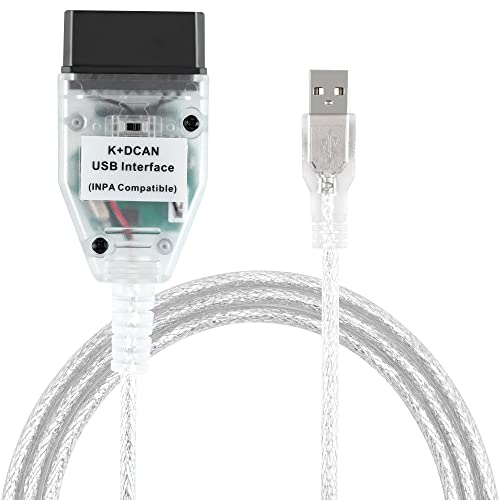
Our diagnostic cable is the GREEN PCB board, Our diagnostic cable with Switch, so now it can support more cars easier

Professional OBD2 Programming Tool: 1.4m high quality interface cable with FTDI 232RL/232RLRQ chip for complete diagnostics and coding.
BMW Coding Preparation Steps
Before diving into the intricacies of coding your BMW with NCS Expert, it’s essential to prepare adequately. This section outlines the crucial steps needed to set up your environment, ensuring you have the right tools and knowledge to execute the coding process smoothly and effectively. Proper preparation will help you avoid common pitfalls and enhance your coding experience.
Preparation is critical to avoid complications during the coding process. Follow these steps to ensure your BMW is ready:
Turn Off All Accessories: Disable lights, radio, and other electronics to prevent interference.
Connect the K+DCAN Cable: Plug one end into the OBD-II port and the other into your laptop.
Launch NCS Expert: Open the software and ensure it recognizes the connection.
Make sure your vehicle battery is fully charged. A low battery can disrupt the coding process.
BMW NCS Expert Coding Steps
In this section, you’ll discover the essential steps for coding your BMW using NCS Expert, a powerful tool for customizing vehicle settings. This guide will walk you through each phase of the process, ensuring you understand how to effectively modify your car’s configuration for optimal performance and personalization. Prepare to enhance your driving experience with expert-level coding techniques.
The coding process requires precision and attention to detail. Follow these steps to code your BMW effectively:
Select the Correct Profile: Open NCS Expert and choose the appropriate profile for your vehicle.
Read the Vehicle Data: Click on the “Read ECU” option to gather current settings.
Modify Desired Parameters: Navigate to the specific settings you wish to change and adjust them accordingly.
Save Changes: After making modifications, save the new configuration to the vehicle’s ECU.
Ensure you double-check all changes before saving. Incorrect settings can lead to system malfunctions.
Recommended Products

Program or Hide Modules: The 6.6ft/2M Ethernet to OBD cable allows you to program or hide modules for BMW. Modules are individual computer programs that control different functions and features of your vehicle. With this ENET cable and a diagnostic tool, you can easily program a single module or hide multiple modules. This is done through the ENET data line, giving you complete control over for your BMW's functionality.
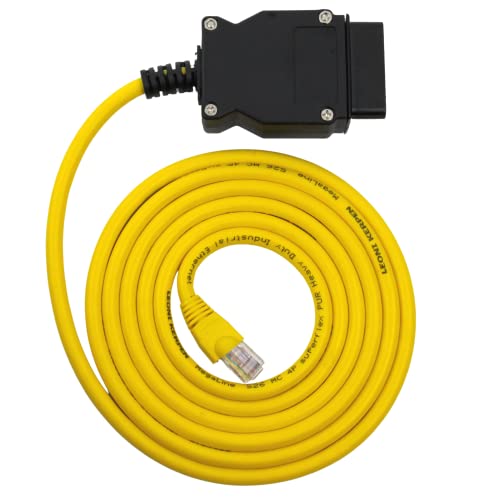
[Professional BMW Coding Cable] – OHP ENET Cable for BMW I/F/G Series enables Bimmercode, E-SYS, ISTA, and ICOM coding and programming via Ethernet-to-OBD2 connection. Perfect for diagnostics, retrofits, and module configuration

Versatile Programming Control: 5 ft. Ethernet to OBD cable, enabling programming or hiding of BMW vehicle modules for enhanced control. INCLUDES: ENET CABLE + USB-C / USB-A Adapter
Popular BMW Coding Features Explained
In the realm of BMW coding, understanding the most sought-after features can significantly enhance your driving experience. This section delves into the popular coding options available through NCS Expert, providing insights into their functionality and benefits. Whether you’re looking to customize your vehicle’s settings or unlock hidden capabilities, these features will empower you to make the most of your BMW.
Familiarize yourself with popular coding features that many BMW owners customize. These features can enhance your driving experience and vehicle functionality.
Disable Seatbelt Chimes: Remove annoying reminders for unbuckled seatbelts.
Activate Digital Speedometer: Display speed digitally on the dashboard.
Enable Comfort Access: Allow keyless entry and start capabilities.
These modifications can significantly improve convenience and comfort while driving.
Recommended Products

*Broad Vehicle Compatibility*. Works seamlessly with E-Chassis models (1998-2019) including D-CAN, PT-CAN & K-CAN systems. Future-proof design supports classic and modern...
NCS Expert Coding Troubleshooting Tips
When diving into the complexities of coding your BMW with NCS Expert, encountering challenges is not uncommon. This section offers essential troubleshooting tips to help you navigate common issues, ensuring a smoother coding experience. Whether you’re facing software glitches or configuration errors, these insights will empower you to resolve problems effectively.
During the coding process, you may encounter several common issues. Understanding how to troubleshoot these problems will save time and frustration.
Connection Errors: Ensure the K+DCAN cable is securely connected and the laptop recognizes the vehicle.
Software Crashes: Close unnecessary programs running on your laptop to free up resources.
Failed Coding Attempts: If a code fails, revert to the original settings and retry the process.
Always back up your original settings before making changes. This precaution allows for easy recovery in case of errors.
Pro-Level BMW Coding Strategies
In this section, you’ll discover advanced strategies for coding your BMW using NCS Expert. By leveraging these pro-level techniques, you can unlock hidden features and customize your vehicle to suit your preferences. Whether you’re a seasoned coder or looking to elevate your skills, these insights will enhance your coding experience and knowledge.
For those looking to delve deeper into BMW coding, consider exploring advanced techniques. These methods require a higher level of expertise and understanding.
Custom Coding Scripts: Write scripts to automate complex coding tasks.
Integration with Other Software: Use additional software tools alongside NCS Expert for enhanced functionality.
Community Resources: Engage with online forums and groups dedicated to BMW coding for tips and shared experiences.
These advanced techniques can unlock even more customization options for your BMW.
Precautions for BMW Coding Success
Before diving into the intricacies of coding your BMW with NCS Expert, it’s crucial to understand the necessary precautions to ensure a smooth and successful process. Taking the right steps can prevent potential issues and safeguard your vehicle’s systems, allowing you to fully leverage the capabilities of this powerful coding tool.
Always take necessary precautions when coding your BMW. Incorrect modifications can lead to significant issues, including system failures. Ensure you have a backup of your original settings and be prepared to revert changes if necessary.

Evan Armstrong is a lead automotive engineer at Car Troubleshooters with over 15 years of experience in the automotive industry. He has a Master's degree in Automotive Engineering and a deep understanding of how cars work and what it takes to fix them.